Nazmino | Daily Planner
Plan your day.Build lasting habits. Nazmino is a daily planner and habit tracker for Android. Organize your day with Jalali and Gregorian calendars, task reminders, and a Pomodoro timer.
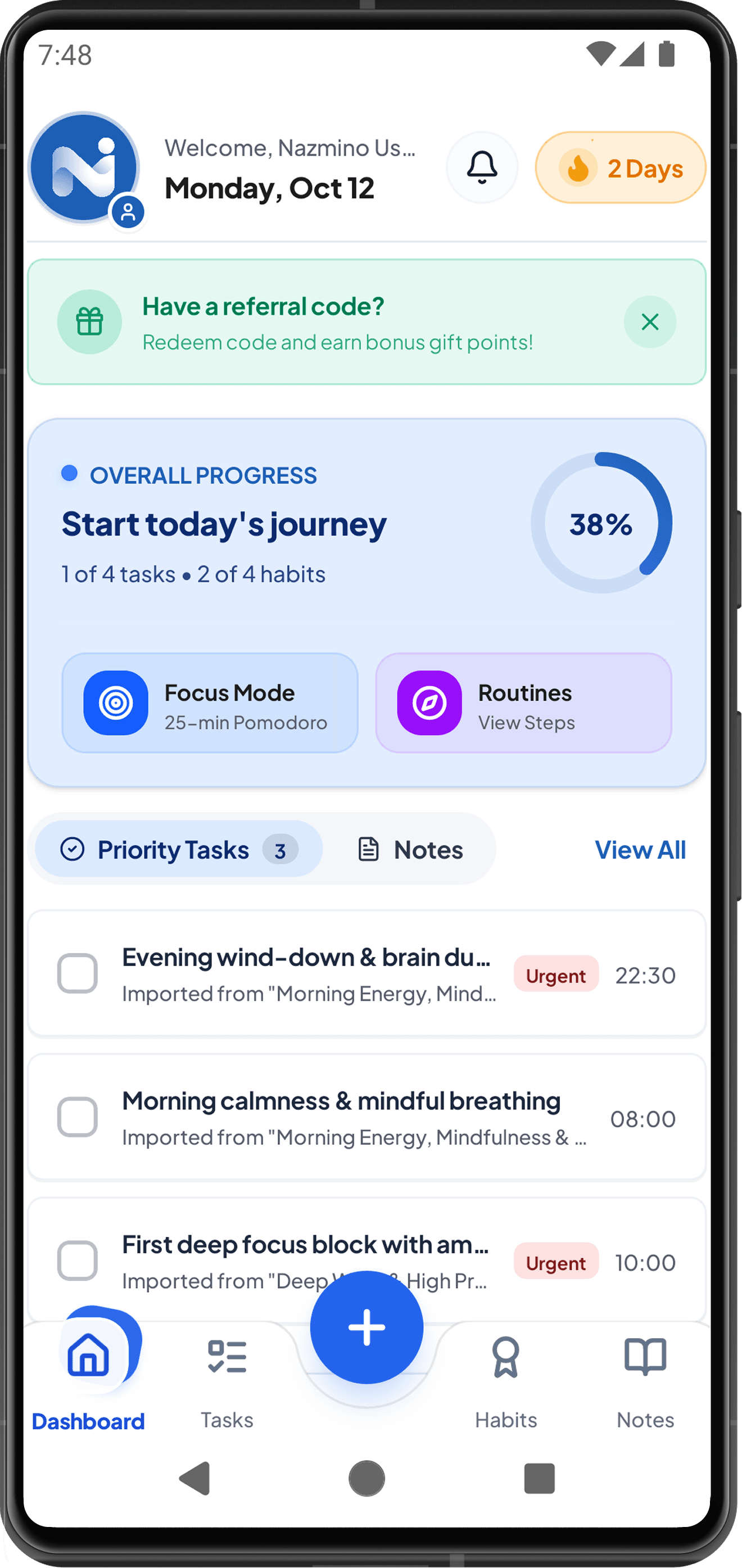
Daily planning, habits, and focus in one app Manage your daily tasks Add tasks to your calendar, set priorities, and choose reminders. See today’s schedule and what’s coming next.
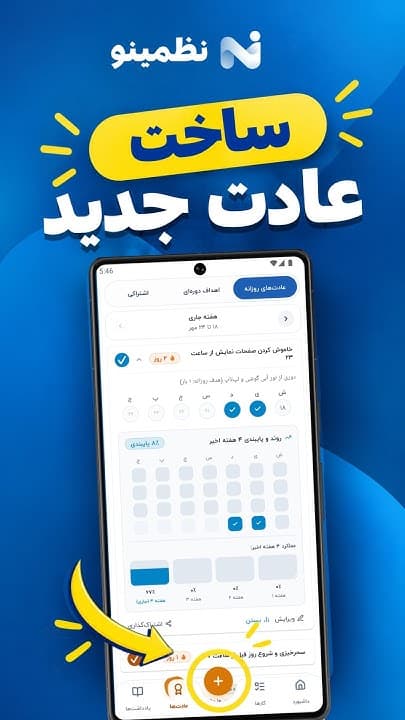
Build and track habits Make a plan for your daily habits. Record each completed day and follow your progress in the charts.
Focus with Pomodoro Set aside time for one task. Use the Pomodoro timer and background sounds to help you stay focused.
Store your data on your device Core planning data stays on your device. Enable optional cloud sync when you need it.
Nazmino screenshots See your daily planner in action Explore real app screens for task management, habit tracking, notes, and focused work.
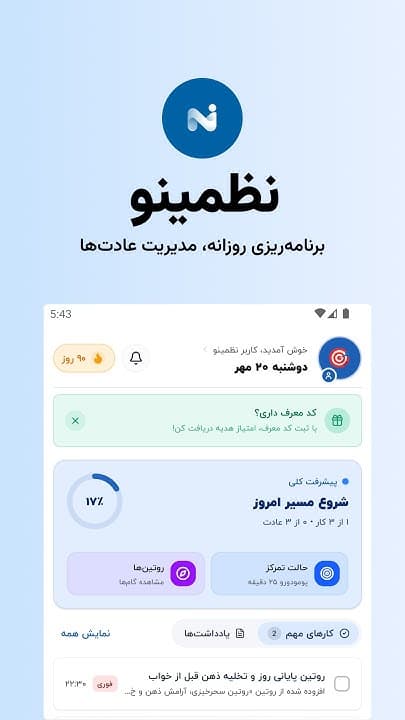
Dashboard and today’s plan Calendar and task management Habits and consistency Goals and progress Notes and ideas Focus and Pomodoro timer Streak Cards and milestones See today’s tasks, habits, and progress in the latest dashboard. Nazmino features
Tools to keep your day organized Manage tasks, plan your goals, and track your progress. Explore what each part of Nazmino can do.
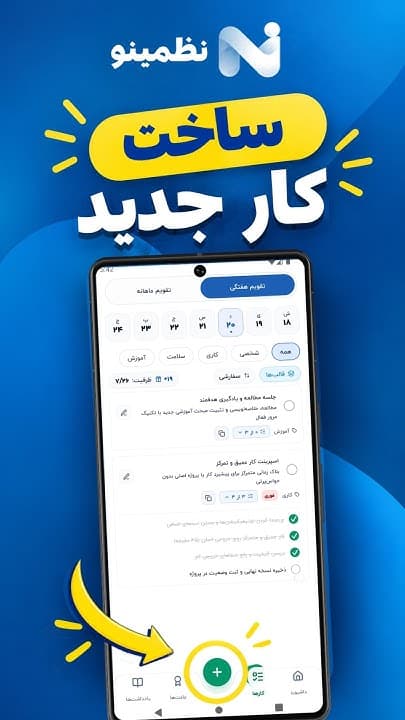
Task management with two calendars Schedule, prioritize, and set reminders in one place.
Jalali and Gregorian month/week views, color indicators, and 12/24-hour time. Tasks with times, labels, priorities, reminders, checklists, and subtasks. Daily, weekly, or monthly repeats with an optional end date. Custom categories with icons and colors, swipe-to-delete, and a trash bin for recovery. Automatic rescheduling of overdue holiday tasks to the next working day. Two-way Google Calendar sync using #nazmino, plus event import. Build and track habits Record your habits regularly and see your progress over time.
Daily, weekly, and goal-based habits, including habits you want to break. Consistency streaks and instant coin rewards at milestones. Revisit previous weeks to record missed progress. Ready-made routines for early mornings, exercise, and reading. Success-rate charts and a history of your consistency. Share your progress with Streak Cards Turn consecutive days of effort into a card you can share.
When you reach a milestone, share a Streak Card that celebrates your progress. Send it to friends and let them share in your achievement. Track habits together Find support to keep going.
Create team or family habits and invite others with a dedicated link. Send a poke or a mutual reminder to help each other stay on track. Focus with a Pomodoro timer Set aside time to concentrate on one task.
A flexible Pomodoro timer connected to your tasks. Keep a history of focus sessions, with optional cloud storage. Rain, forest, river, fire, and lo-fi sounds that keep playing in the background, even with the screen off. Guided breathing exercises Take a moment to pause between tasks.
Guided 4-7-8 and box breathing, with a visual rhythm and gentle haptic feedback. Set goals and measure progress Give weekly and monthly goals a clear measure of success.
Measure goals in minutes, pages, sessions, or a unit of your choice, with progress charts. Notes and checklists Keep ideas and notes alongside your daily plan.
Capture ideas and shopping checklists in color-coded cards, and pin important notes. Android calendar and task widgets See your daily plan on your home screen.
Native Android calendar and task widgets, with quick task completion from your home screen. Language, access, and privacy settings Adapt the app to your needs.
Persian, English, and German, with right-to-left and left-to-right layouts. Biometric app lock with fingerprint or supported face authentication. Offline everyday planning, with online access for cloud sync and connected features. An interactive guide, dark mode, and an experience designed for low battery use. Short tutorials from the Nazmino team show you how to add tasks, create habits, and use the app’s features.
These demos are recorded in Persian. The app is available in Persian, English, and German.
Getting started Plan your day in three steps 01 Install Nazmino Download the app from Google Play on your Android phone and open your planner.
02 Add your first task or habit Create a daily task or a habit you want to build. Set its schedule and reminder to fit your day.
03 Review your plan and keep going Record completed tasks each day, make time to focus, and check your progress.
FAQs
Frequently asked questions about Nazmino Which devices can I use? Nazmino is available for Android through Google Play. Check the store listing for compatibility with your device.
Which languages and calendars does Nazmino support? Nazmino is available in English, German, and Persian, with layouts that follow each language’s reading direction. Choose a Jalali or Gregorian calendar for your planning.
Can I plan without an internet connection? Core planning data is stored on your device, so everyday planning can work offline. Cloud sync and connected features need an internet connection.
Do I have to use a Google account? Google sign-in is optional and is used for cloud sync. You can keep your everyday planning local to your device.
How can I get help or share feedback? Use Contact Us in the app or email the support address below. For a bug report, include the app version, device model, and steps to reproduce the issue.
Contact the Nazmino team Help us improve Nazmino Contact the team directly with questions about features, bug reports, or suggestions.
nazmino@winklarstudio.com 
 YouTube ShortsWatch tutorial
 YouTube ShortsWatch tutorial
 YouTube ShortsWatch tutorial
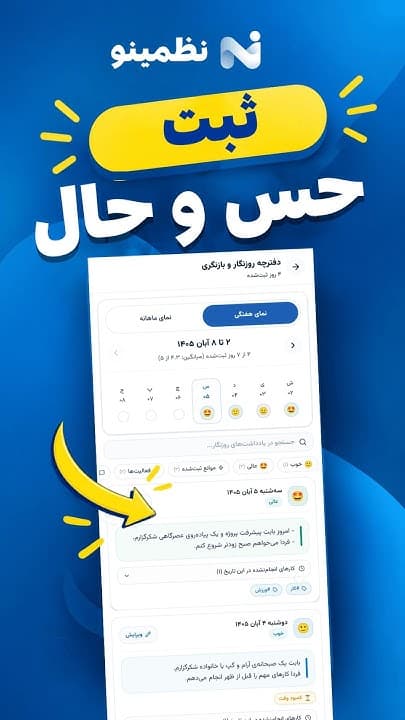 YouTube ShortsWatch tutorial